Join Download: Windows 7 Join Download: Windows 7
Showing posts with label Windows 7. Show all posts

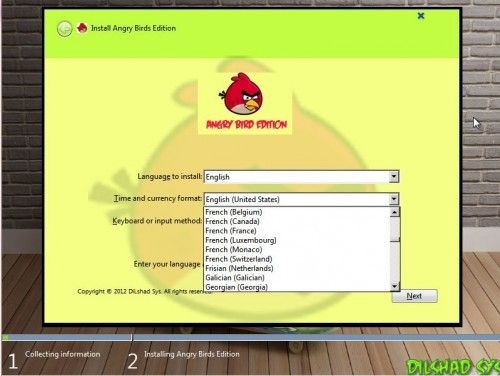
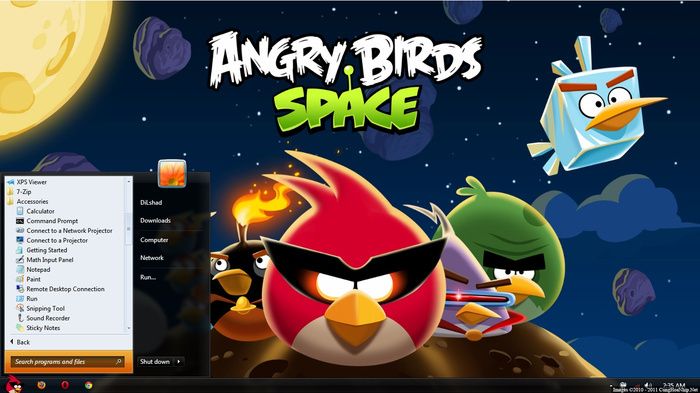
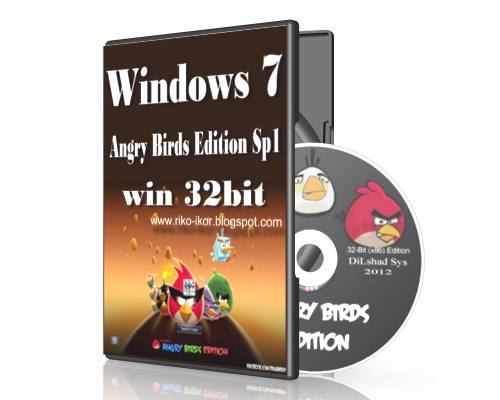
Windows 7 Angry Birds Edition

Code Name : Angry Birds Edition
OS Name : Windows 7 ULTIMATE
Architecture : 32-bit(x86)
Language : Choose Language At Instillation Time ( Support All Languages )
Version : 6.1.7601.17651
Service Pack : 1
Integrated : March 2012
Applications : 30 New Appz included
Tested : Tested on iNtel i3, i5, C2D
OS Size : 2.9 GB

For Activation Follow Link below :  Click here
Screen Shot

Password: ManusiaBiasa
How to download

Download All part And Extrack with Winrar or winzip:
Part 1 :  >>>Download here <<<
Part 2 :  >>>Download here<<<
Part 3 :  >>>Download here<<<
Part 4 :  >>>Download here<<<
Part 5 :  >>>Download here<<<
Part 6 :  >>>Download here<<<
Part 7 :  >>>Download here<<<
Part 8 :  >>>Download here<<<

Windows (7) Gamers' Edition


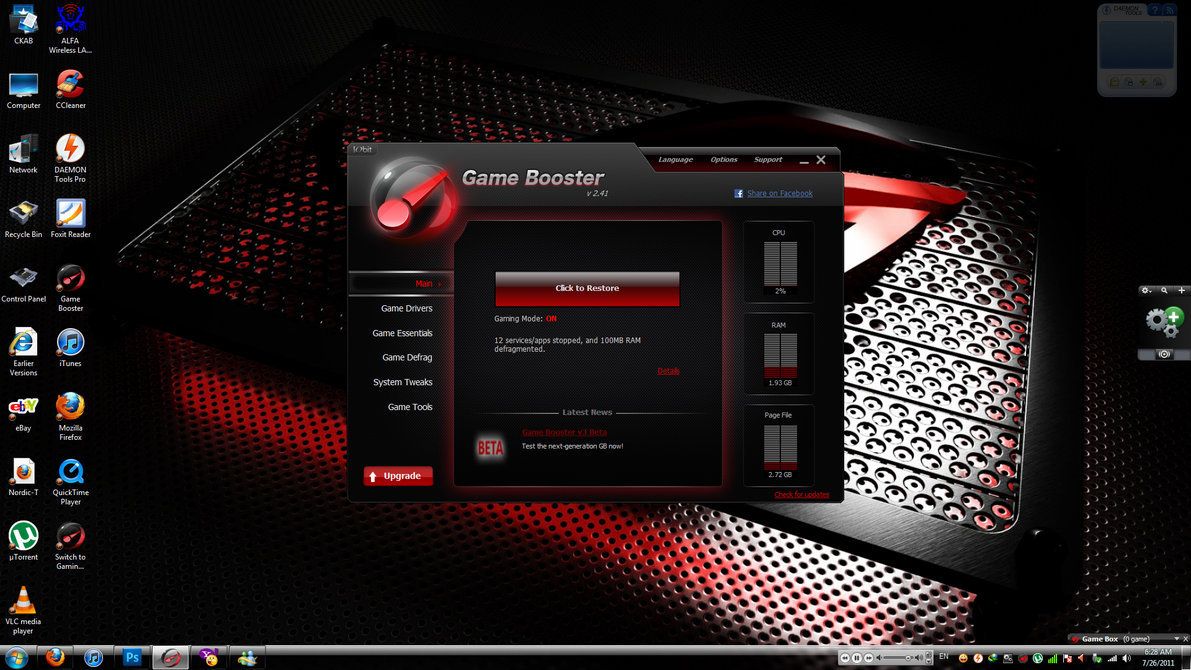
Screen Shot
This is Windows 7 modified for gamers on this new platform (64 bits). The system is optimized to support today's games, plus he removed a number of processes without unnecessary if it comes to games.
Just download unzip and burn the ISO to a DVD5, reboot the system since, to install on a clean partition.

The requirements needed at the foot of this post, keep in mind that it is for current games, where 2GB of RAM and a dual nuclear normal.

Overview of the Features and Updates of Windows 7 Gamer Edition:
    Specially Modded DirectX 11 for Extreme Gaming
    Reduced Gaming crashes
    New High quality icons
    Resolved Windows 7 Media Center issues
    Supports all future updates and packages
    Resolved some reliability compatibility issues in Windows 7
    More Stable and Reliable
    UAC Disabled
    Show extensions for known file types
    Added User Account 2 on Control Panel
    Low Memory consumption
    Windows will tell you exactly what it is doing when it is shutting down or is booting
    Added command prompt to right click context menu
    Enabled addition Avalon effects
    Disabled Tool Tips
    Enabled Clear Type Tuning
    Added 'Copy to Folder' , 'Move to Folder' , 'Open with Notepad' to right click context
    Disabled Windows Media Player Auto Updates
    Faster browsing with IE
    DEP execution is set to Default
    Disabled the NTFS Last Access Time Stamp
    Enabled slow-motion window effects
    Added "Advanced System Properties" in my Computer
    Added Control Panel to my Computer
    Disabled kernel paging
    Winrar for extraction purpose.
    Added Group policy and Registry editor to control panel
    Turned off system beeps
    Take Ownership, Device manager, Group policy, Registry Editor in the right click
    Patched uxtheme files to use 3rd party themes.
    Faster Shutdown ( 3 seconds services kill timeout.)
    Fast Booting Time
    Disabled automatic restart in the event of a blue screen
    Tweaked up shell response
    Hibernation is Disabled.
    Added "Advanced System Properties" in my Computer
    Added Control Panel to my Computer
    Added Administrative Tools to my Computer
    Added Network Connections to my Computer
    Added Search to my Computer
    Added Printers to my Computer
    Added Run and Windows Flip Switcher to my Computer
    Removed warning about showing hidden system folders
    Maximum simultaneous downloads for IE to 20 ( default is 2 )
    New Explorer View
    Allow renaming and removing of Recycle Bin
    Makes a right click option for unknown files
    Notepad saves window position
    Enabled Word wrap in Notepad
    Enabled Status Bar in all windows
    NVIDIA Drivers Added
    ATI Drivers Added
    New Themes
    255 Sidebar Gadgets
    Enabled search system folders in Search
    System Files are boosted up to maximum Performance
    Faster Application load Time
    Disabled the NTFS Last Access Time Stamp
    Windows Update service disabled
    No critical components removed
    Automatically Installed 3rd Party Software
    Winrar for extraction needs.

Optional 3rd Party Software
Multimedia
    CCCP codec pack
    Cole 2k Advanced codec pack
    Vlc Media Player HD 1.0.3

Performance
    Game Booster v.1.3 (Windows 7 Support)

Applications
    Messenger Live
    Daemon Tools Lite v 4.35.5
    7-zip (x64 December 2009 Release)

Web Browsers
    Mozilla FireFox v 3.5.6

Components Removed
[Accessories]
    Accessibility
    Character Map
    Mobility Center
    Speech Support
    Welcome Center

Tweaks:
    Programs and Features to right click
    change wallpaper to right click
    Task manager to right click
    Take Ownership of any File or Directory
    Show file extensions
    "Command Prompt" when you right click a folder
    "Device Manager" to the right click menu of "Computer"
    "Services" to the right click menu of "Computer"
    "Edit Registry" to the right click menu of "Computer"
    "MSCONFIG" to the right click menu of "Computer"
    Notepad as a Right Click Item
    Disable Default Hidden Shares - This keeps Windows from creating the Admin$, C$, etc.
    shares (which are security holes) automatically on start-up.
    Open any folder on your computer in a new window
    All items have an "edit.." on right-click sending to notepad
    Register / unregister to the context menu for .ocx files
    Register / unregister to the context menu for .dll files
    Right click option for unknown files (Open with notepad)
    New CMD file to right click > New
    Open NFO files with notepad
    Restore previous folder windows at logon
    Stops the 'Welcome Center' loading (for current user) when Windows starts
    Disable User Accounts Control (UAC)
    Disable Automatic Updates
    (not the ability to update - just disables the automatic background updates and balloon tips)
    'Copy to Folder' and 'Move to Folder' to right click
    And Many more Tweaks.

System Requirements:
    2GB RAM (Recommended 3GB RAM or more)
    20 GB of HDD space ( Recommended 40 GB )
    128 MB Graphics Memory (Capable to run Aero)
    17-inch Monitor (1024 x 768)
    DVD-ROM or DVD-RAM
    Pixel Shader 2.0
    Dual Core Processors with 32-bit OS Capable
    Active Internet Connection (For Activation and Updates)

Password: www.sunduldownload.blogspot.com
Download All Part And Extrack 
Part 6 : https://userscloud.com/ykmq8kl6db5x

 
How to download

Windows 7 TOSHIBA OEM

This version of Windows 7 is integrated with the TOSHIBA oobe, agreements, logos, oeminfo, certificates, TOSHIBA keys, and all the other stuff and it is pre-activated!! I have also provided a .iso with all the default TOSHIBA Applications that are pre-installed!! And there is a language pack too.

***Note: If you want this version to be pre-activated by OEM, you will need to have SLIC2.1 in your BIOS. Otherwise it might not activate. If you don't get the TOSHIBA logo in your system properties, go to X:_sources_$OEM$_$$_SETUP_SCRIPTS_logos_Toshiba and run reg.
(replace the _ with /)(replace the dash with slash)
All Password : ManusiaBiasa
Download All Part And Extrack
Part 01 : https://userscloud.com/Win_7_TOSHIBA_x86.part01.rar
Part 02 : https://userscloud.com/Win_7_TOSHIBA_x86.part02.rar
Part 03 : https://userscloud.com/Win_7_TOSHIBA_x86.part03.rar
Part 04 : https://userscloud.com/Win_7_TOSHIBA_x86.part04.rar
Part 05 : https://userscloud.com/Win_7_TOSHIBA_x86.part05.rar
Part 06 : https://userscloud.com/Win_7_TOSHIBA_x86.part06.rar
Part 07 : https://userscloud.com/Win_7_TOSHIBA_x86.part07.rar
Part 08 : https://userscloud.com/Win_7_TOSHIBA_x86.part08.rar
Part 09 : https://userscloud.com/Win_7_TOSHIBA_x86.part09.rar
Part 10 : https://userscloud.com/Win_7_TOSHIBA_x86.part10.rar
Part 11 : https://userscloud.com/Win_7_TOSHIBA_x86.part11.rar

If You Need Activated Follow This Link " HERE "

How to download

Windows 7 Blue Edition 2013


Code Name: Blue Edition
OS Name: Windows 7 ULTIMATE
Architecture: 32-bit (X86)
Language: Choose Language At Instillation Time (Support All Languages)
Version: 6.1.7601.17651
Service Pack: 1
Applications: 36 New Apps included
Tested: Tested on Intel i3, i5, i7, C2Q
OS Size: 700MB
Software Size: 500MB
ISO Size: 1.19gb
License: 30 day evaluation copy

WINDOWS ACTIVATION: For Activation, Purchase a Genuine key directly from Microsoft.
Note: THIS IS NOT A PIRATED WINDOWS 7 OPERATING SYSTEM.
(Ie NO PATCHES OR CRACKS OR KEYS INCLUDED IN THE DVD)

Minimum Requirement:
Processor
-2 GHz or faster processor

Memory
- Recommended 512 MB RAM

Hard disk space
- 10 GB

Media drive
-DVD/CD Authoring requires a compatible optical drive
Video card
-DirectX 9 graphics processor with WDM 1.0 or later driver

Software
- 7-Zip 9.22 Beta (32-bit)
- Adobe Flash Player 11.2.202.235 Final
- Boot Screen blue Edition By DiLshad the Sys
- Visual C + + 2005 Redis
- Visual C + + 2005 SP1_Redis
- Visual C + + 2008 Redis
- Visual C + + 2008 SP1 Redis x86
- Visual C + + 2010 Redis
- Visual C + + 2012 Redis
- CCleaner Business Edition 4.06.4324
- DAEMON Tools Pro Advanced 5.0.0316.0317
- DirectX32
- FileZilla 3.5.3
- Firefox 25.0 Beta 3
- Foxit Reader 6.0.6.0722
- Glary Utilities Pro 2.46.0.1518
- Google Talk 1.0.0.104 Beta
- Internet Download Manager 6.11.8 Final
- Java Runtime Environment 1.7.0.40 (32-bit)
- K-Lite Codec Pack 10.05 (Full)
- Malwarebytes Anti-Malware 1.61.0.1400 Final
- Microsoft Silverlight 5.1.10411.0 Final
-. NET Framework Version 4.5
- Notepad + + 6.5
- ShockWave 11.5 Full
- Skype 6.7.0.102
- TuneUp Utilities 2012.12.0.3600.104 Final
- Ultra ISO 9.8.1
- USB Disk Security 6.1.0.432
- USB Safely Remove 5.1.2.1182 Final
- UTorrent 3.3.2 RC5
- VLC Media Player 2.1.0 (32-bit)
- Winrar 5.0
- Yahoo! Messenger 1150.0228

What's Removed
- Australia Local pack
- Canada local Pack
- Great Britain Local Pack
- New Zealand Local pack
- DVD Maker
- Music And Video Example
- Share Media Panel
- Windows Media Player DVD Registration
- Windows Media Player Network Sharing Service
- Offline Files
- Windows Recovery Disc
- Windows Media Player Troubleshooter
- Games
- Local Games
- Local Themes

Gadgets
- 4

Themes
- 10 New Themes

Whats' New??
- Boot Screen Blue Edition
- New Eye catching themes
- New icon sets
- New Sound schemes
- New Registry settings
- Hang time ratio improved
- Added best shortcut styles
- Improved application interface
- Added RUN on start menu
- Add change theme
- Add change wallpaper
- Add desktop icon settings
- Advanced user accounting
- Clear type view
- Copy to Move to on right click
- Disable Autorun Drive
- Disable UAC
- Disable Tool Tips
- Don't mark new applications
- On Right Click DiLshad Sys
- Enable AVALON effects
- Enable Clear Type Tuning
- Enable DVD in media player
- Enable Glass Effect (WDM) without graphics card
- Enable MP3 Encoding on right click
- Enable slow motion windows effects
- Enable status bar in notepad
- Get rid of windows mail splash
- Give your self permission to modify all
- Grant full admin control
- DiLshad Sys Site direct link from right click (Firefox needed)
- Removed Action center Icon
- Windows speed tweaking
- Wait to kill service - 2000
- Low level hooks time out - 1000
- Hang application time out - 1000
- Menu show delay - 0
- No low disk space warning
- Process Schedule 1st Program
- Mouse Speed ??Increased
- Hang Ratio Decreased
- Fast Shut Down And Login
- Down Power After Shut Down
- Touch Screen Feature Added
- Grant Admin control on Right Click
- Add Admin Tools on Desktop Context Menu
- Add manage on Desktop Context Menu
- Add Move to Folder on Desktop Context Menu
- Add Copy To Folder on Desktop Context Menu
- Add Task Manager on Desktop Context Menu
- Add Take Ownship on Desktop Context Menu
- Add Register and Unregister to. Dll OCX Context Menu
- 500ms Delay Aero
- Larger Taskbar Previews
- Removed Action center icon
- Small Taskbar Icon
- Removed mail Splash
- Detailed Shut Down And Login
- Blocked Negative DNS Entery
- Turn Off System Beep
- Turn off low Disk

Note: - Please remember that at first login the theme tends to be classic like in windows 98 ..
So right click on desktop> select change theme> select the STUDIO theme out there.
After that u'll see the normal themed appearence.
I really can't figure out the issue associated with this theme settings. So please try this.


All Password: ManusiaBiasa
Download All Part & Extrack
Part 1 : https://userscloud.com/Win_7_Blue_Edition_2013_x86_2013.part1.rar
Part 2 : https://userscloud.com/Win_7_Blue_Edition_2013_x86_2013.part2.rar
Part 3 : https://userscloud.com/Win_7_Blue_Edition_2013_x86_2013.part3.rar
part 4 : https://userscloud.com/Win_7_Blue_Edition_2013_x86_2013.part4.rar


How to download

Windows 7 Need For Speed Edition


Catatan: Ini BUKAN Pirated WINDOWS 7 SISTEM OPERASI.
(Yaitu NO patch atau retak atau KUNCI TERMASUK DALAM DVD THE)

Persyaratan Sistem Minimum:
1.) 1GB RAM (RAM 2GB Direkomendasikan untuk 64-Bit)
2.) 20 GB ruang HDD (Ini adalah BIG satu orang! Meletakkannya di di SEDIKITNYA 40GB drive atau partisi jika Anda ingin setiap ruangan kerja)
3.) 128 MB Memori Grafis (Mampu untuk menjalankan Aero)
4.) Memantau 17 inci (1024 x 76
5.) DVD-ROM atau DVD-RAM
6.) Pixel Shader 2.0
8.) Aktif Koneksi Internet (Untuk Aktivasi dan Pembaharuan)

*** Multi - Prosesor Inti dengan 64 Bit OS Mampu ***
Catatan: Mulai instalasi baru dari BIOS dan menginstalnya di partisi yang terpisah. ** Format drive yang dipilih untuk instalasi sebelum melanjutkan dengan langkah-langkah lain **.
WPI
- Adobe reader 10.0
- Optimizer 3.2.648.12873
- Avast Internet Security_7.0.1091
- Microsoft C ++ 2008 Redistributable 9.0.2 - 9.0.3 x64 x86 &
- Microsoft C ++ 2010 Redistributable 10.0.2
- New Cleaner 3.15
- New Chrome 16.8.0.1
- DirectX32 Juni
- Flash Plugin 11.15.5
- New Flash player ActiveX 11.15.5
- KLite Codec Pack 8. 14 penuh
- Nero 10.4.12
- Notepad ++ 4.5.6
- Microsoft.Net Framework 4 Diperpanjang
- Firefox 11.3b
- JER (java) 7.3 i586
- New VLC 2.0.0
- Utorrent 2354/03/15
- Winrar4.0
- Yahoo messenger 11.15
Screenshot
 Komponen [dihapus]
- Tidak ada Gadget
- Baru 5 gadget kaca ditambahkan
Apa Yang Baru ??
- Boot Screen Butuh Foe Kecepatan Edition
- New Eye tema catching
- Icon set Baru
- Skema Suara Baru
- Pengaturan New Registry
- Hang waktu rasio ditingkatkan
- Ditambahkan terbaik gaya shortcut
- Peningkatan antarmuka aplikasi
- Ditambahkan RUN pada start menu
- Tambahkan perubahan tema
- Wallpaper perubahan Tambah
- Tambahkan pengaturan ikon desktop
- Tambahkan msconfig ke kanan komputer saya
- Akuntansi pengguna Lanjut
- Tampilan ClearType
- Copy Pindah ke atas klik kanan
- Jendela Cacat bek saat startup
- Nonaktifkan hibernasi
- Nonaktifkan UAC
- Nonaktifkan windows media player pembaruan otomatis
- Tips Nonaktifkan Alat
- Jangan menandai aplikasi baru
- Aktifkan efek AVALON
- Aktifkan ClearType Tuning
- Aktifkan DVD di media player
- Aktifkan Kaca Efek (DWM) tanpa kartu grafis
- Aktifkan MP3 Encoding di klik kanan
- Aktifkan efek slow motion jendela
- Aktifkan status bar di notepad
- Efek flip 3D (Sama seperti windows switcher)
- Singkirkan jendela email percikan
- Berikan izin diri Anda untuk memodifikasi semua
- Hibah kontrol admin penuh
- Link langsung Neo Reconia Sys Site dari klik kanan (Firefox diperlukan)
- Icon pusat Dihapus Action
- Tweakings kecepatan windows (Pangeran NRVL Registry)
- Tunggu untuk membunuh layanan - 2000
- Kait leve rendah waktu - 1000
- Hung aplikasi waktu - 1000
- Menu show delay - 0
- Tidak ada disk yang peringatan ruang rendah
Password: ManusiaBiasa

How to download
 
Download Semua Part dan Extrack winrarnya lalu di burning ke DVD:
Part 1 : https://userscloud.com/3mce7365ngmh/ManusiaBiasawin7_need_for_speed.part1.rar

Untuk Aktivasi silahkan download Disini